1XBET PROMO CODE 2026 XPUMP step by step versus guessing where the field hides
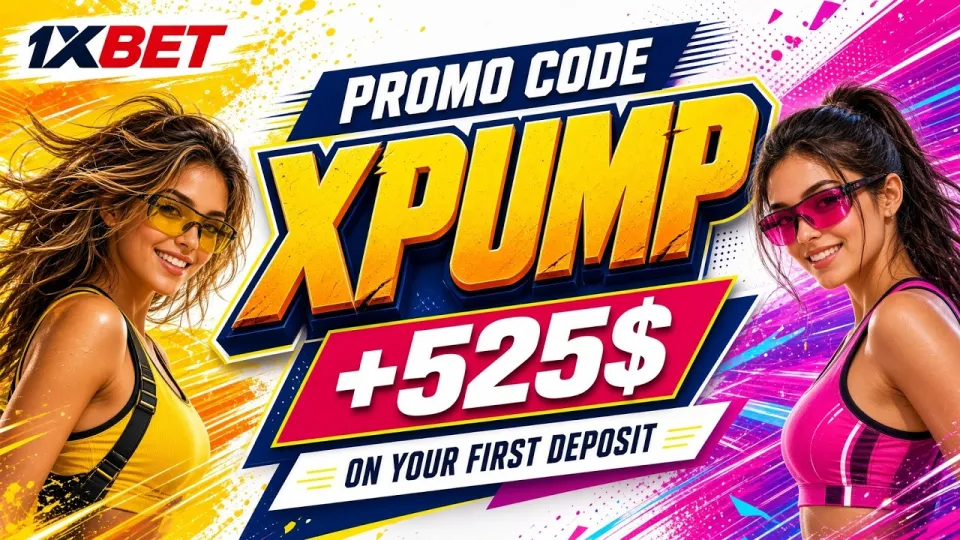
Video: 1XBET PROMO CODE 2026: XPUMP Explained Step by Step
· based on the channel Вера Балаева
The 1xBet promo code 2026 discussed here is XPUMP, and it is entered in one specific place: the promo code field shown during sign-up or in your account's promo code section. Type it in capitals with no spaces, confirm it, and check that the field actually accepted the text before you continue. The offer the code is attached to is a first-deposit bonus of up to +525$, which you can review through the official promo offer page.
That is the whole mechanic. There is no second code, no hidden sequence of steps and no special timing window beyond the 2026 promo period. What trips people up is not the code itself but the placement and the exact formatting of the text they type.
Where the 1xBet promo code XPUMP goes
The promo code field lives in two possible locations, and you only need one of them. During registration, the sign-up form includes an optional promo code box alongside the usual fields for country, currency and personal details. If you already have an account, the same box appears in the account settings area under the promo code section.
The important part is that the box is optional and easy to scroll past. It often sits below the currency selector or near the bottom of the form, and on mobile layouts it can be collapsed behind a small link. If you finish registration without filling it, the code is not applied retroactively by itself — you have to go into the settings and enter it there instead.
A practical checklist before you start:
- Decide whether you are entering the code at sign-up or afterwards in settings; do not try both at once.
- Make sure the account currency and country are already selected, because the bonus terms are tied to them.
- Locate the field labelled as a promo code or bonus code, not the referral or affiliate field.
- Keep the code visible on a second screen or a note so you can type it rather than paste it.
Typing XPUMP correctly the first time
XPUMP must be entered in capital letters with no spaces before or after it. The code is five characters: X, P, U, M, P. Nothing else belongs in that box — no quotation marks, no punctuation, no country prefix.
Three formatting mistakes account for nearly every rejected entry:
- Lowercase letters. Mobile keyboards often auto-capitalise the first letter and lowercase the rest, so "Xpump" or "xpump" may be silently refused.
- A trailing space. Autocorrect and swipe typing frequently append a space after the last character, which the field treats as part of the code.
- Pasting from a chat or a webpage. Copied text can carry invisible formatting or a line break with it.
The fix is simple: clear the field completely, switch the keyboard to plain text, and type the five characters manually. Then look at the field before submitting — if it displays XPUMP exactly, you are ready to confirm.
Confirming the code and checking it was accepted
Submitting the form is not the same as the code being accepted, so verify the result in the account. After you confirm, the interface should show the code as applied, either with a confirmation message or by displaying it in the promo code section of your account settings.
If you registered with the code, the bonus conditions become visible in the bonuses or promotions area of your account, where the first-deposit offer tied to the code is listed with its terms. If nothing appears there, the code did not register, even if the form submitted without an error.
A quick verification routine:
- Open the promo code section in your account settings.
- Check whether XPUMP is shown as applied.
- Open the bonuses area and confirm the first-deposit offer is listed.
- If either check fails, clear the field, retype the code manually and confirm again.
Common problems and how to solve them
A code that will not take is almost always a formatting or placement issue rather than an expired promotion. The first thing to test is the spelling: retype it character by character instead of pasting, and remove any space at the end. The second is the box: a code entered into the referral field, the login field or a search bar will never apply.
If the field accepts the text but the bonus does not appear, check that the account details match the offer's conditions — currency, country and the fact that this is a first deposit. A code entered after a deposit has already been made will not retroactively attach to that deposit. In that case the usual path is to contact support through the account chat and describe exactly what was typed and when.
One more point worth stating plainly: the code does not guarantee any outcome on bets. It is a promotional entry that unlocks a deposit offer; what happens afterwards depends on the terms of that offer and on your own activity.
What the XPUMP offer actually includes
The headline figure attached to XPUMP is a first-deposit bonus of up to +525$. The "up to" wording matters: the amount you receive scales with the size of your first deposit, so a small deposit produces a proportionally small bonus, and the maximum is reached only at a certain deposit level.
As with any deposit bonus, there are conditions attached — typically a minimum deposit threshold, a wagering requirement before bonus funds can be withdrawn, and a time limit for meeting it. These terms are displayed in the bonuses section of the account and on the offer page itself. Read them before depositing rather than after, because the wagering requirement determines how usable the bonus really is for your style of play.
The code is described as valid for the 2026 promotional period. If you are setting up an account this year, entering it at registration is the simplest route; if the account already exists, the settings path works just as well.
Questions people ask before entering the code
Most hesitation around the promo code comes from uncertainty about timing and about whether an existing account still qualifies. The code can be applied at sign-up or afterwards in the account settings, so an account created without it is not automatically excluded — the entry simply has to be made in the promo code section.
A second frequent doubt is whether the code is case-sensitive. Treat it as case-sensitive: XPUMP in capitals is the documented form, and lowercase variants are one of the most common reasons a field refuses the text. A third is whether the bonus is guaranteed at the full amount; it is not, because the figure is a ceiling that depends on the deposit size and on meeting the wagering conditions.
Conclusion
Entering the 1xBet promo code XPUMP is a two-step action: find the promo code box during sign-up or in account settings, then type the five capital letters with no spaces and confirm. The failures people report come from lowercase letters, a stray trailing space, pasting formatted text or using the wrong field — all fixable in under a minute. The code unlocks a first-deposit offer of up to +525$, with the usual deposit threshold and wagering terms attached. The step-by-step walkthrough of this process was produced by the channel Вера Балаева, and you can check the current offer and register through the promo code page.
Key takeaways
- The 1xBet promo code for 2026 covered here is XPUMP, typed in capital letters with no spaces.
- The code is entered either during sign-up or later in the account's promo code section.
- The advertised offer tied to the code is a first-deposit bonus of up to +525$.
- Most failed entries come from lowercase letters, a trailing space or pasting into the wrong box.
- Applying the code is a single field plus a confirmation step, nothing more.
Source: 1XBET PROMO CODE 2026: XPUMP Explained Step by Step · Markdown version
Questions & answers
Is the 1xBet promo code XPUMP case-sensitive?
Yes, treat it as case-sensitive. The documented form is XPUMP in capital letters with no spaces. Lowercase versions such as xpump or mixed forms like Xpump are one of the most frequent reasons the field rejects the entry, so type it manually in capitals.
Can I apply XPUMP if I already have a 1xBet account?
Yes. The code can be entered after registration in the promo code section of your account settings. It will not attach retroactively to a deposit you already made, so apply it before making the first deposit you want the offer to cover.
Does the code guarantee a +525$ bonus?
No. The +525$ figure is the maximum of a first-deposit offer, and the actual amount depends on your deposit size. The offer also carries conditions such as a minimum deposit and a wagering requirement, which are shown in the bonuses section of your account.
What should I do if the promo code field will not accept the code?
Clear the field completely, retype XPUMP manually in capitals and make sure no space sits at the end. Confirm the text is in the promo code box rather than a referral or search field. If it still fails, contact account support and describe exactly what you entered.